Handicap Fleet Results for a Single Race
Help IndexHow to Score with Times data. The Times data is captured in the Collect App which shows the calculated times and standings as you finish each boat. The Times data is then Exported to RacelogWeb where the Results reports are managed.
Score a Single Race
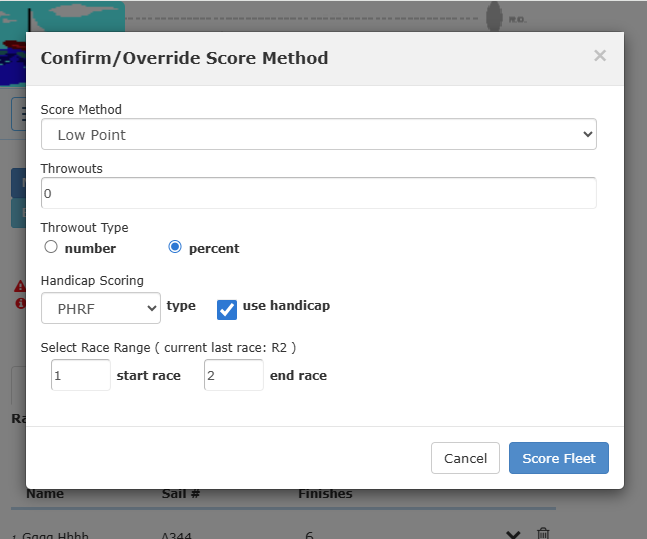
In Racelogweb, click the "Score Fleet" button on the Fleet page. This will create a score report for a single race showing Times data for each racer (the Finish time, Elapsed time, Corrected Elapsed time, and Finish Place). On the "Score" modal select the Handicap "type" and "use handicap". In this scoring mode you must select a single race in the Race Range settings. ( Ex: start race "1", end race "1")
Score Report for Single Race
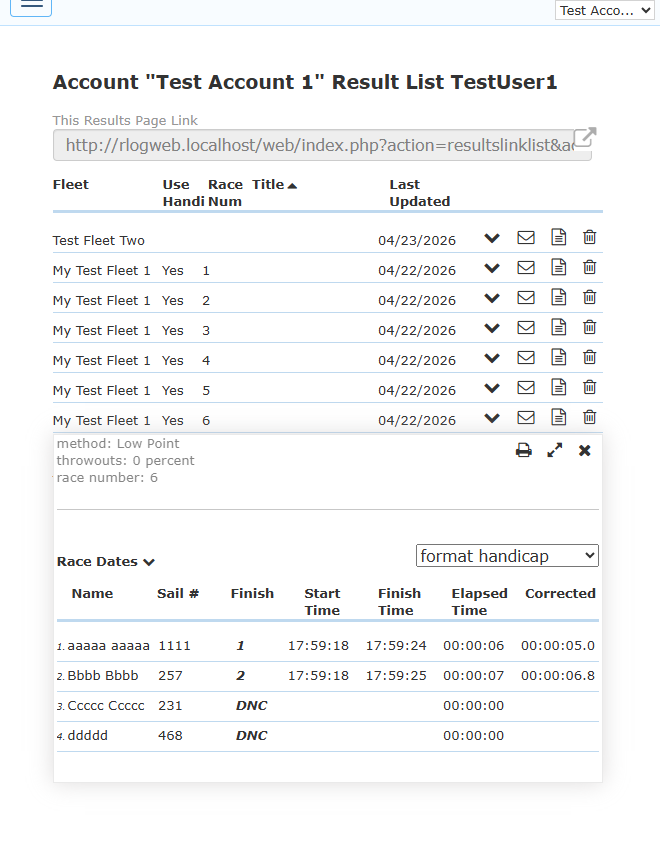
The Race Results page shows the single race report for the 'Race Num' selected in the Score modal.
The screenshot shows a Race 6 selected with the calculated times and the finish place for each racer. The Result List shows each of the single races which have been scored. These finish reports can be emailed to the fleet by clicking 'envelope icon', also the link for each race can be inserted in a web page or shared on Social Media.
Score Report for All Races
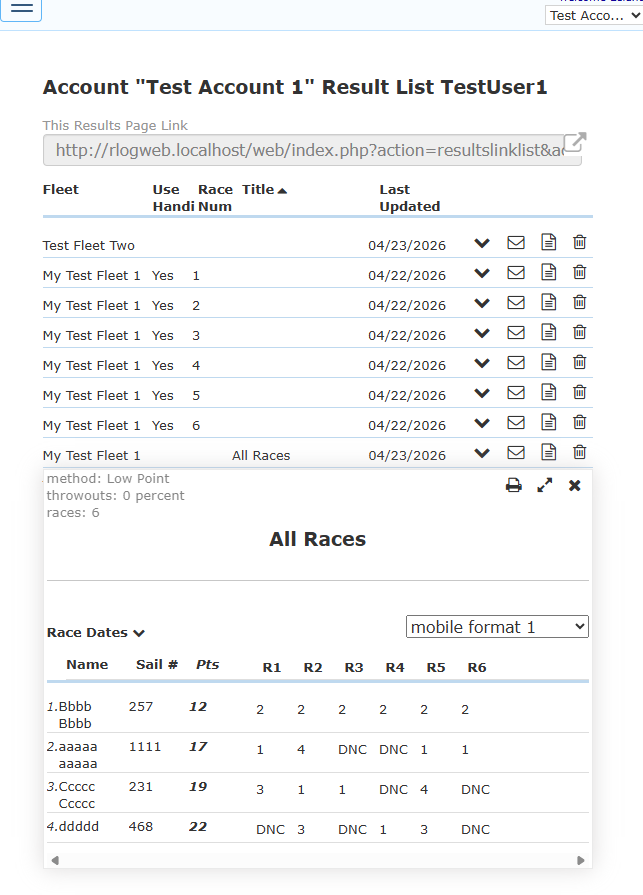
The Race Results page shows the All Races report for your Fleet.
The screenshot shows all races scored so far for this Fleet. This is the same Result report as used for One-Design Fleets. This accumulates the Finish standings for all the Handicap races for the Season Series or Regatta results.