Online Status:
Finish Times
Help IndexThe RacelogWeb Finish Collect App. This screen loads after you open your fleet file in RacelogWeb and then click the "Collect App" button. This screen is where you collect the finish data for your scoring Session.
The Times finish data you capture here will integrate into your Fleet file and can then be 'scored' in RacelogWeb in the same manner as any Fleet file.
Quick Start
- Open your Fleet file in RacelogWeb
- Click the Collect App button in RacelogWeb, which opens the App. (You must be logged/Online for this step)
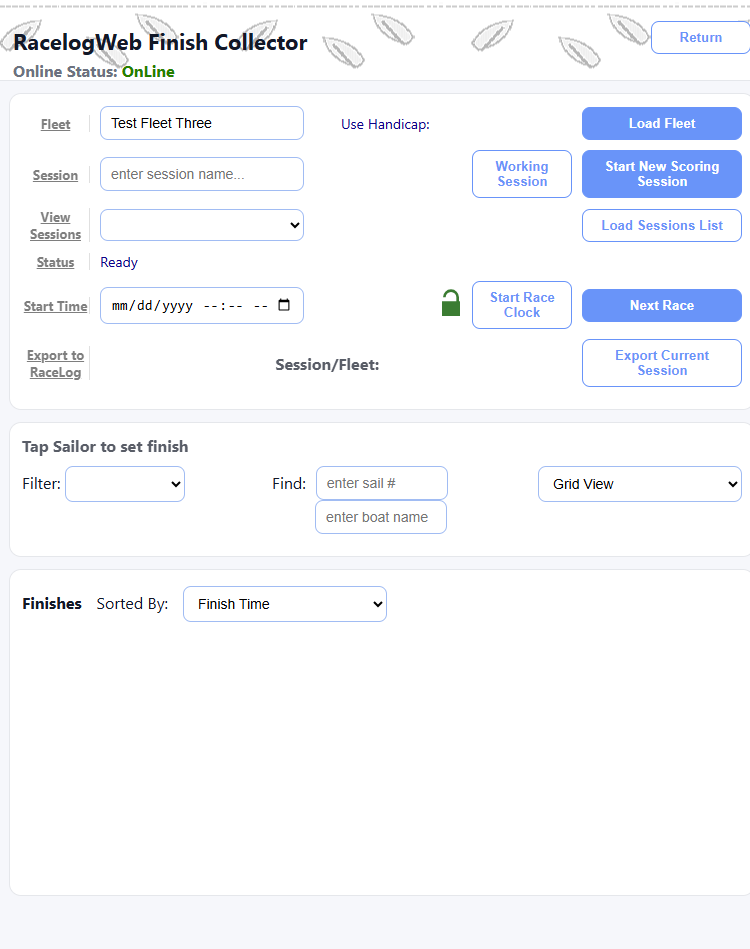
Finish Collector App - after initial load, with the opened Fleet shown in the Fleet input field:
- Quick Start continued...
- Click Load Fleet in the Collect App. (You must be logged/Online for this step)
- Enter a new Session Name {You can be Online or Offline for this and the following steps)
- Click Start New Scoring Session.
- When race starts, click Start Race Clock - this will become the official Start Time
- Click/Tap Sailor as they finish (finish time and handicap calculations are done automatically)
- Click Next Race and Start Race Clock if scoring another race
- Export Current Session back to RacelogWeb when done
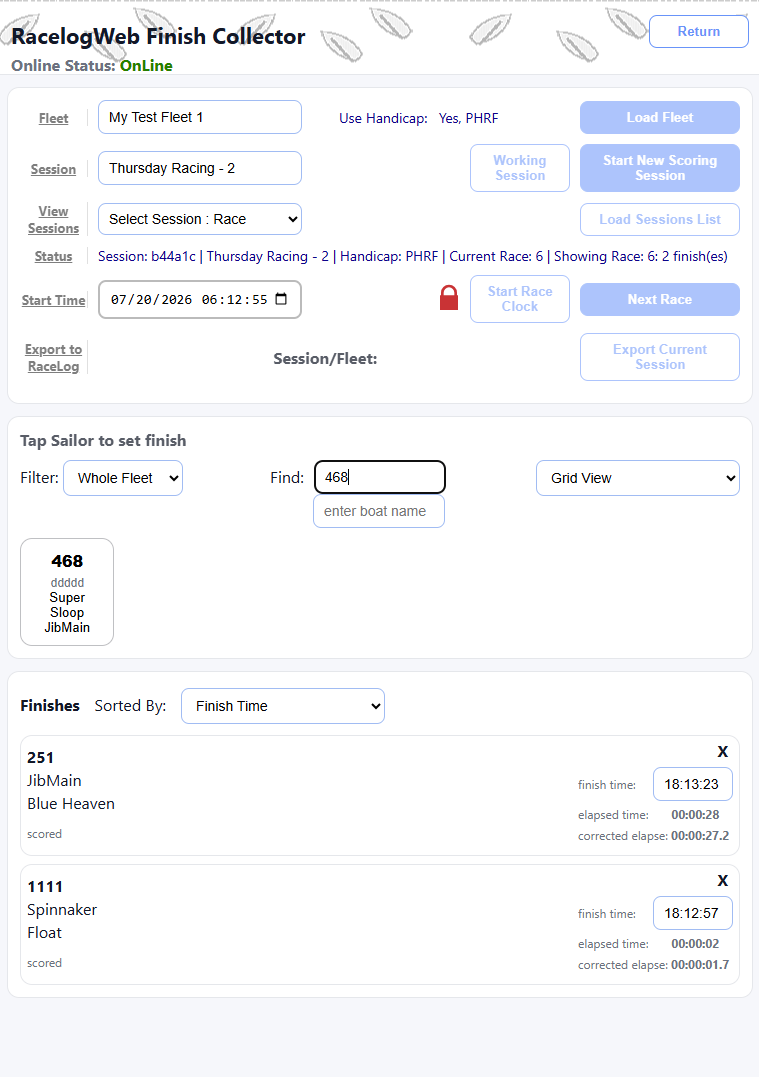
- The Status line tells you which Session, Fleet file and Race number you are processing
- You can make Corrections to your Finishes. A Finish can be removed and the Finish time can be adjusted. Edit the finish time input field, then click outside the input field or hit Enter to save and recalculate the new Finish.
Finish Collector App - Locked, with Sailors and current Finished racers with Calculated Times: